
Excel: Search and Replace
Learn how to use REPLACE, SEARCH, and INDIRECT in Excel to dynamically reference named ranges—even when names contain spaces.

Spaces are disallowed in Excel named ranges. If someone, say “Fred Nerx”, wants to name a range after himself, and then look up values in that range, there’s a problem. Fred will find that the Name Manager inserts an underscore into his name. He has now become “Fred_Nerx”. However, his boss doesn’t want it displayed like that in a report. He wants:
Fine. Just replace the space in his name with an underscore, then look up in the range of that name. The Excel REPLACE function needs the following arguments:
REPLACE(old_text, start_num, num_chars, new_text)
To replace a space (old_text), we know we want to replace only 1 character (num_chars), and we know to replace with an underscore (new_text), but names differ! How do we find the position (start_num) of a space in any name[1]?
Use FIND or SEARCH to supply a character position where a space is found:
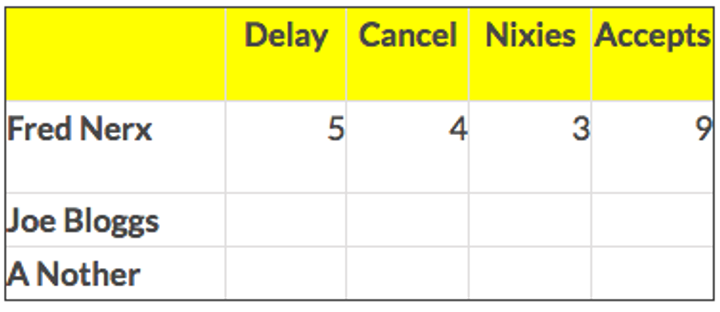
=COUNTIF(INDIRECT(REPLACE($A2,SEARCH(” “,$A2),1,”_”)),B$1)
In the example formula, we pass the range name “Fred_Nerx” to INDIRECT as a string. The space in A2 is replaced by an underscore, and we use COUNTIF to find a count of the items specified by the headers in Row 1 (“Delay” in B$1, “Cancel” in C$1, etc).
[1] It gets complicated with names like “van der Merwe”, with multiple spaces, I know …
Bio: This article was written by Jasper Cook, Excel guru and trombonist of note. Call or email us if KRS and Jasper can assist you with your Excel: enquiries@krs.co.dev
Looking for a software partner?
Tell us about your project and we’ll show you how our team can help.
Found this useful? Share it.